It can be daunting to determine who’s responsible for showing ads on the websites we visit, or who’s harvesting data from the mobile apps we use every day. That information is already semi-public, but it is not easily parsed and traditionally much of it has remained walled away in the hands of large advertising platforms. Not anymore: A powerful and free new service called DecryptAds scrapes and correlates this adtech data and makes it simple to quickly learn a great deal about the entities that are tracking you.
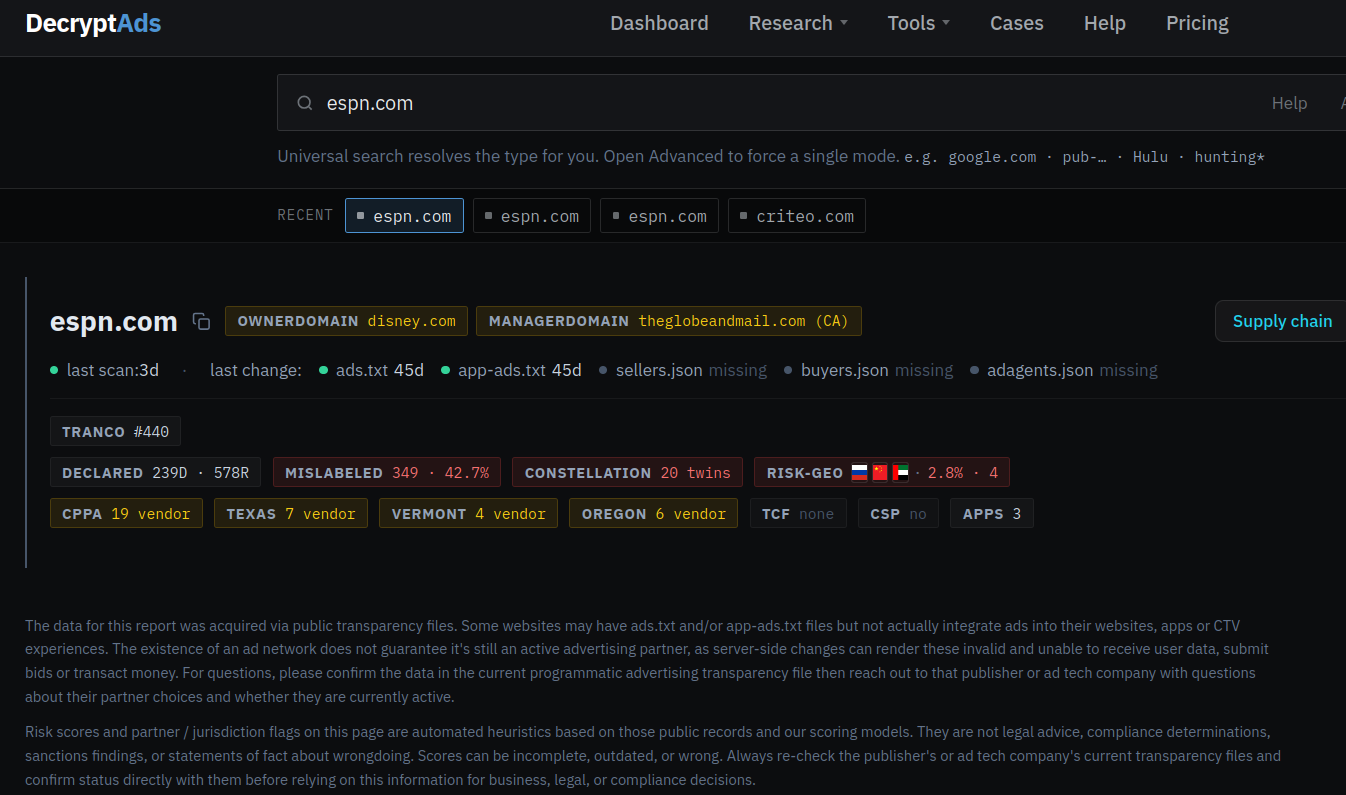
A Decryptads summary of the advertising partnerships declared by espn.com.
The newly launched decryptads.com says it is constantly scraping the files that websites and apps make publicly available to disclose the companies that are permitted to run ads or collect user data. These files include:
–ads.txt: all of the adtech companies and data brokers that may run ads or harvest data from the site;
–app-ads.txt: entities that can harvest data from or display ads on mobile and smart TV apps;
–buyers.json/sellers.json: the entities buying, selling or reselling ad inventory for a given site or app.
Zach Edwards is chief research officer for DecryptAds and a threat researcher at the security company Infoblox. Edwards said he and two other founders decided the service was needed because the adtech data in these files is generally only useful when it can be cross-referenced to build a more complete picture of the advertising ecosystem for each website or app.
“It’s an adtech tool but we’re trying to approach adtech from a security perspective,” Edwards said. “It’s really built for a lot of privacy and security use cases that have been dramatically underserved.”
Those use cases, he said, include tracking down the source of malicious ads that try to foist malware on targeted users, identifying ad networks located in adversarial nations, and detecting the fast growing swarms of AI-generated slop websites and apps. And as decryptads.com demonstrates, these potential security and privacy threats are near impossible to detect just by viewing a single apps.txt or app-ads.txt file.
“Supply-chain integrity issues rarely live in a single file,” the site explains. “They show up as broken cross-references between ads.txt, app-ads.txt, and sellers.json files; as cloned declaration sets across unrelated domains; as seller removals that only make sense when viewed across exchanges; and even as supply paths in bid logs that never actually appear in any given publisher’s authorized-seller list.”
A search in DecryptAds for the hugely popular sports network espn.com reveals 143 ad partners and 19 registered data broker domains are listed within its ads.txt and app-ads.txt files. That data broker information is gradually becoming available because four states — California, Oregon, Texas and Vermont — have recently passed laws requiring data brokers to register if they buy or sell data on consumers from those states. DecryptAds reports that almost half of those data brokers are collecting geolocation data from espn.com visitors who aren’t blocking ads, while another three disclose that they collect device fingerprints and sensitive personal information.
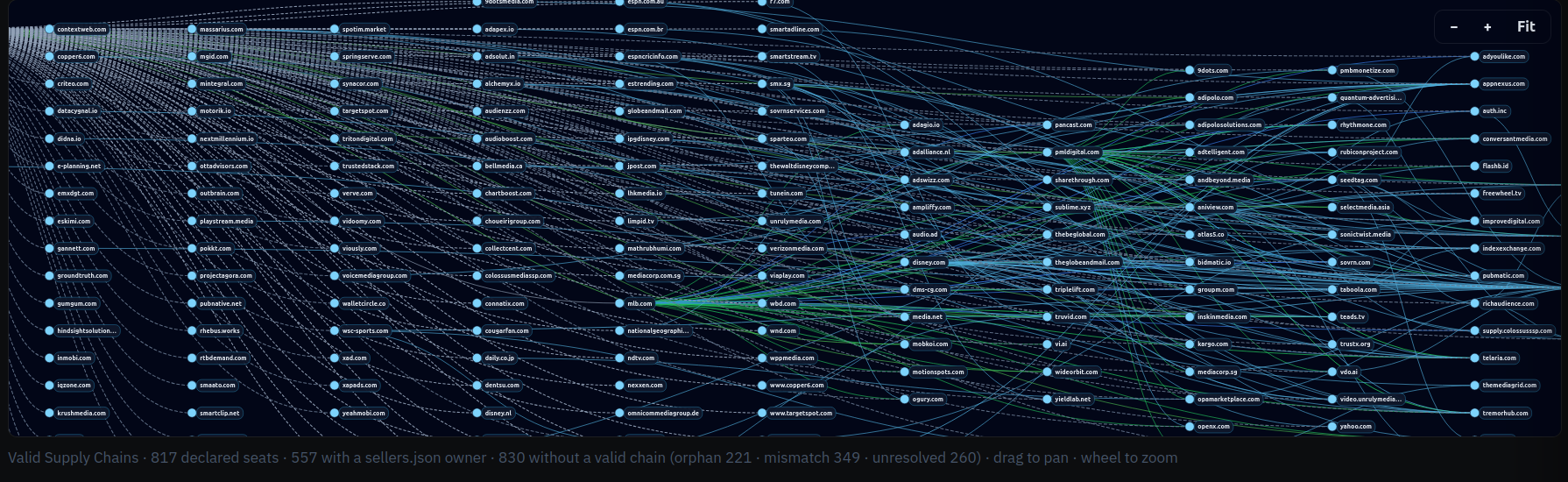
A visual representation of the complex ad supply chain declared by espn.com. Image: decryptads.com.
HIGH-RISK AD PARTNERS
DecryptAds also makes it easy to learn the beneficiaries and national origins of the advertising firms lurking in apps and websites, displaying a conspicuous warning when adtech partners of an app or website are based in “geo-risk” areas like China and Russia, or in countries with strong financial and political ties to both — such as Cyprus and the United Arab Emirates (UAE).
According to DecryptAds, espn.com works with four different advertising entities that are based in either Russia, China or the UAE, including the adtech firm Between Digital, which lists a New York address. However, the dossier on Between Digital flags them as a Russian firm, showing that their publisher offers (PDF) are processed through Alfa Bank, Russia’s largest private commercial bank and one of several financial institutions placed under U.S. sanctions in 2022 after Russia invaded Ukraine. KrebsOnSecurity sought comment from both Between Digital and the company’s founder, and will update this story in the event that either replies.
A search for several top U.S. military news websites — including armytimes.com, airforcetimes.com, defensenews.com, navytimes.com, marinecorpstimes.com and federaltimes.com — shows they all allow Between Digital to serve ads and track users, as well as two entities in the UAE and another in the ownership secrecy haven of Panama. DecryptAds reports that Between Digital is collecting ad data on approximately 55,000 partner websites.
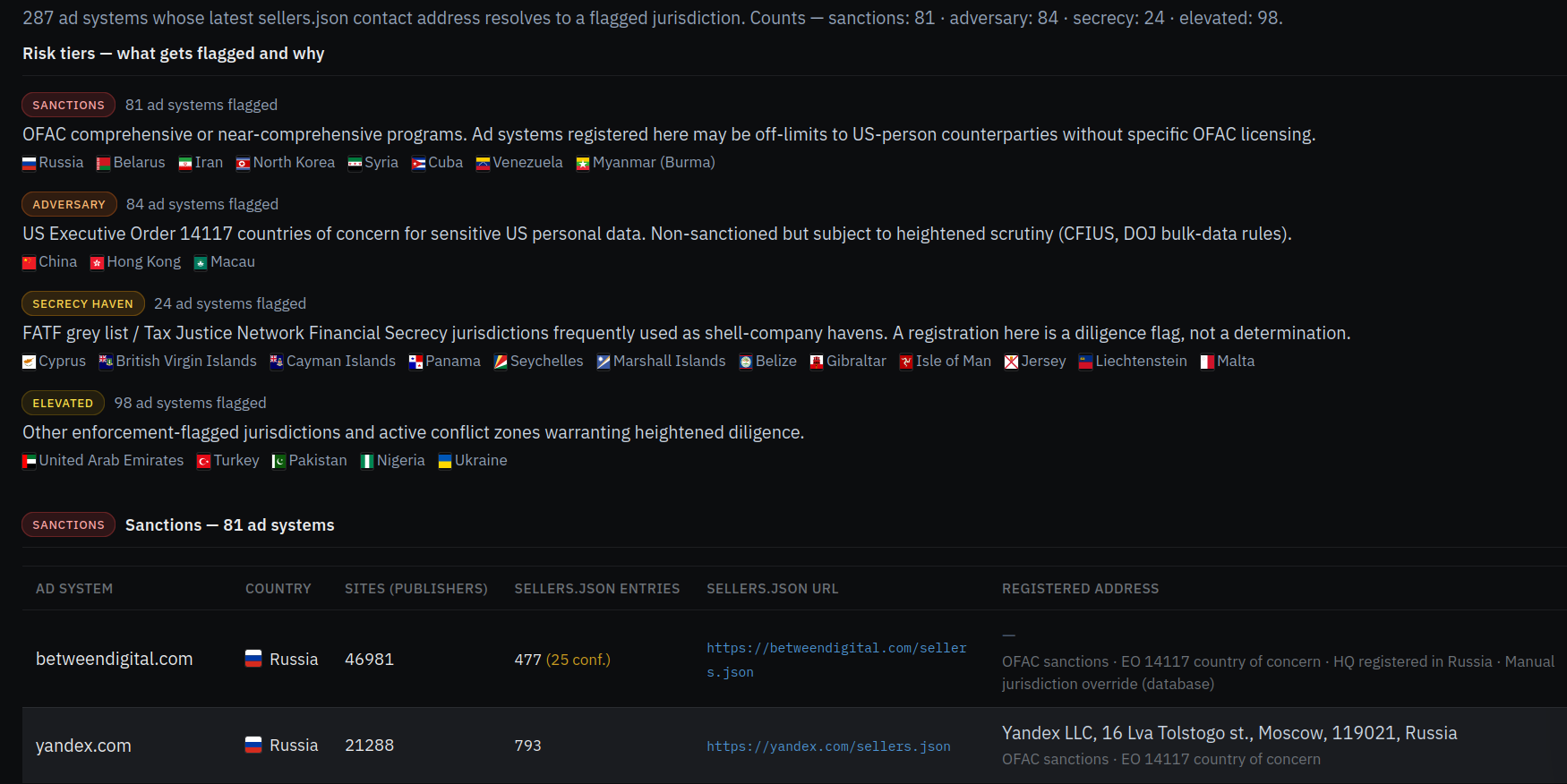
The “Geo Risk” section of decryptads.com.
Pivoting on Between Digital’s app-ads.txt file reveals hundreds of domains featuring simple web-based games that are frequently interrupted by ads. Edwards said Between Digital’s own declarations show the company is listed as both a publisher and a reseller on approximately two-thirds of their portfolio.
“It means they are basically playing both sides of the bidding equation, which creates opportunities to direct client spend at your owned and operated properties or client infrastructure, essentially creating opportunities for conflicts of interest,” Edwards told KrebsOnSecurity. “The problem we have right now is that for years we’ve had almost no one policing these ads.txt and app-ads.txt files.”
The Opera Web browser remains quite popular, and probably many users are unaware that since 2016 it has been majority owned and controlled by the Chinese company Kunlun Tech (the operational headquarters of Opera remain in Oslo, Norway).
Opera.com’s profile at DecryptAds identifies 27 registered data brokers collecting information, including 15 adtech partners in the UAE, six in China, three in Cyprus, two in Russia and one each in Hong Kong and Ukraine. DecryptAds makes clear, however, that these companies represent just seven percent of the adtech partners specified in Opera.com’s ads.txt and app-ads.txt files.
LEGAL DOSSIERS
One feature of DecryptAds that sent this author down multiple hours-long research rabbit holes is its Legal Dossier lookup, which takes several minutes for each search but eventually churns out oodles of useful information about who owns a particular domain or app, when it was registered, and any aliases or relationships it may have to adtech companies and other websites or apps.
For example, last month KrebsOnSecurity wrote about researchers from Bitsight who found that an extremely popular line of TV streaming sticks called H96 quietly rent out each user’s Internet connection to strangers. Bitsight also discovered that when these devices aren’t being used to stream pirated video content, they are spoofing themselves as mobile phones clicking ads on AI-generated slop websites.
Bitsight concluded that the same Chinese company that made several of the malicious apps common to all of these H96 streaming sticks — the Fengwo Group — also also ran the network of ads and AI slop websites being clicked on by tens of thousands of these devices that are pretending to be mobile phones.

Examples of ad landing pages linked to the Fengwo Group. These sites were designed to show ads only to H96 devices that were spoofing their device type as mobile phones. Image: Bitsight.
A DecryptAds legal dossier on the (now dormant) Fengwo Group domain name for the AI slop website pictured on the left in the screenshot above (medicalbeautyhub dot com) shows it shares a seller ID (1674071) with a gaming website — giacoloredstones[.]com — which features yet another seller ID (103488000).
Pivoting on that latter seller ID reveals hundreds of active websites within Russia’s Yandex ad system featuring extremely low-quality games or simple utilities that pepper visitors with ads.
QUIET REMOVALS
Edwards said that when advertising networks suspect a given advertiser is engaged in unauthentic clicks or displaying malicious ads, very often those networks will quietly remove the offender from their list of approved partners without letting anyone else know about their suspicions.
This practice, he said, makes it easier for dodgy adtech firms to avoid accountability and continue victimizing others. To address that visibility gap, DecryptAds features a quiet removals feed that records and correlates all of the sellers.json removals across ad exchanges for the same seller domain or name.
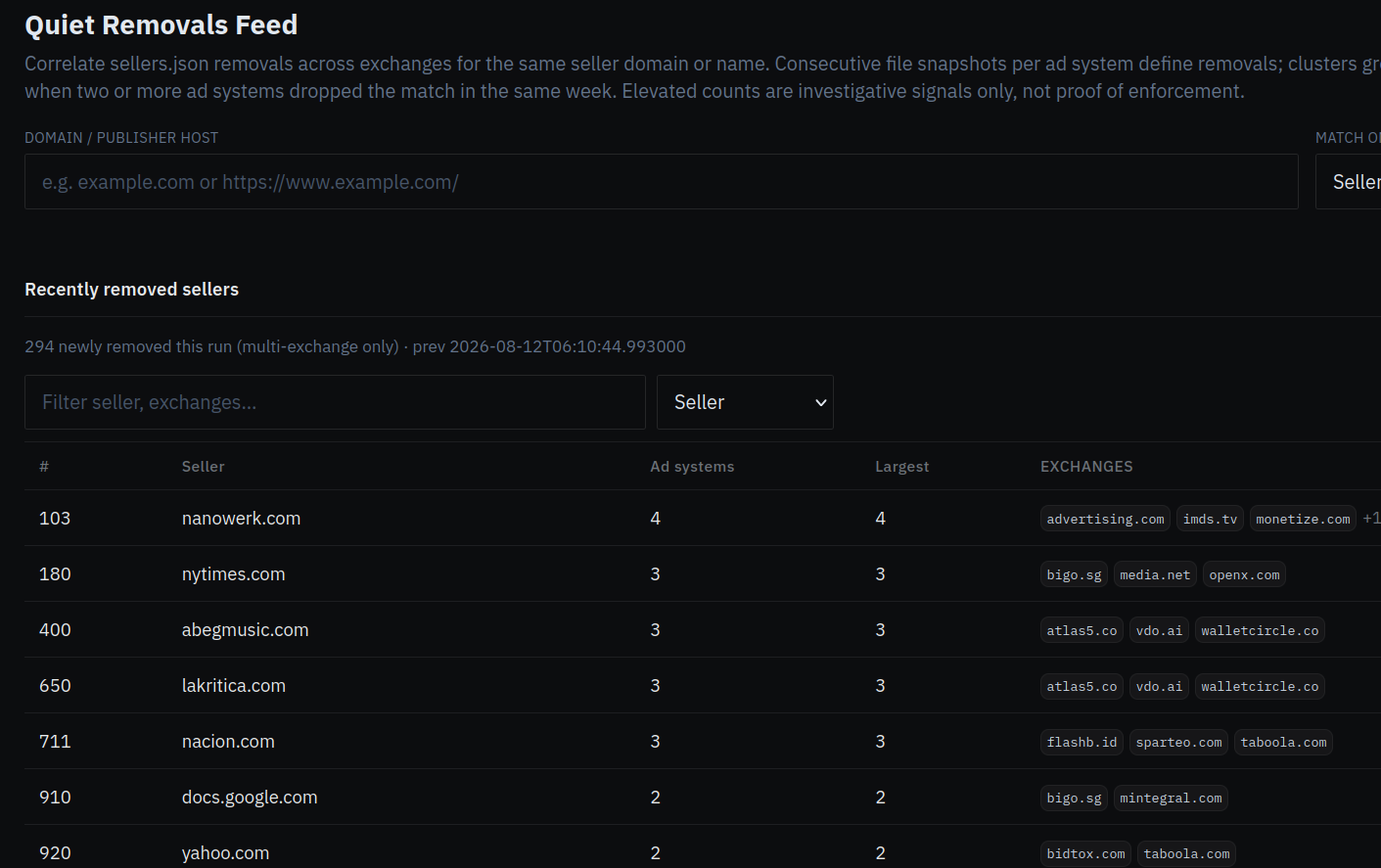
A screenshot of the Quiet Removals Feed at decryptads.com.
“The way the adtech industry works, someone will write a report about ad fraud and only share it with their own clients and they won’t make it public,” Edwards said. “The ban is just removing them from the sellers.json file, but they told nobody. One day it was there, the next it was gone. So if you’re trying to navigate who is suspicious, that’s usually tough to do because there are a lot of adtech companies removing things all at once.”
MALVERTISING AND AI SLOP
Malvertising, the term given to the practice of inserting malicious ads that foist malware or redirect visitors to phishing pages, remains an all-too-frequent occurrence in the modern adtech industry. But Edwards said these malicious ads are far more commonly found now on newly generated AI slop websites than on high traffic destinations that typically employ a variety of technologies and third party tools to quickly flag bad ads.
“None of these slop AI content farms are paying for that kind of protection,” he said. “They’re just signing up the lowest quality partners, and it essentially becomes a greased rail to target the users of those sites with malicious ads. Most malvertising attacks don’t happen on espn.com or huffpost.com, but rather [on] some lower quality content farm and someone just went there because it came up in a search.”
Edwards said the AI slop websites are populated with machine-generated blog posts and images, and cover a wide array of themes from home improvement and decorating to food recipes, hunting, cars and consumer technology. He said organizations that get hit with malicious ads are often at a loss for what to do next, unaware that in most cases the answer is one of the entities listed inside the website’s ads.txt or app-ads.txt file.
“A lot of serious organizations are starting to understand that if we’re not breaking down this ad data, we’re not going to know who’s targeting government people with zero-click payloads on an almost daily basis,” he said.
Edwards maintains that truly getting a handle on the malvertising and AI slop problems will require more data-sharing by the major ad networks. Specifically, he says those platforms do not broadly share what’s known as the “supply chain object” or SCO, structured data attached to each advertising bid request that lets buyers see every seller, reseller and intermediary involved in passing an ad impression from the publisher to the final buyer.
“That SCO tells you who sold it or resold it, and who was the final entity that bought the impression that served that malware payload,” Edwards explained. “You may see the malicious zero-click redirection, but without the supply chain object — which is only served server side — you won’t know who targeted your people with malware and won’t have a way to try and prevent it properly. But if we can encourage the adtech industry to expose that SCO, it will get easier to find the culprit behind any one bad ad.”
DecryptAds also offers an application programming interface (API) that allows researchers to automate queries and integrate the site’s functionality into popular AI platforms.
WHAT CAN YOU DO?
The only sane reaction to the examples described above is to block all online ads outright. This approach is broadly endorsed by security experts because it also makes it more difficult for adtech firms and data brokers to build detailed profiles on you and track your movements around the web and in the real world.
However, much depends on how you normally prefer to browse the Internet, and how much trust you place in third party browser plugins and extensions. For those primarily surfing via a regular desktop or laptop Web browser, uBlock Origin Lite is an excellent free and well-maintained open source option. uBlock Origin also should work with mobile browsers like Firefox, but apparently only on Android-based devices.
Adblock Plus is a decent option for iPhone and iPad users. For power users, Adblock and uBlock Origin both support custom blocking rules from easylist.to, which publishes a frequently updated list that removes most advertisements from webpages.
The well established browser extension NoScript blocks all non-approved Javascript code, and it generally does a fine job blocking most ads from loading. However, script blockers like NoScript may not be suitable for average users who don’t enjoy constantly having to referee which scripts should be allowed to load so that each site displays properly.
More technically inclined/adventuresome readers should strongly consider a hardware approach to blocking ads at the local network level, because that is easily the cheapest, most secure and scalable way to do it. A tiny, low-cost and broadly available computer known as a Raspberry Pi can be turned into a powerful ad blocker for all devices on a local network when fitted with a microSD memory card and a free program called Pi-hole. Once you’ve set it up properly and changed your router’s network settings to use the Pi-hole’s DNS sinkhole and DHCP servers, it should prevent ads from displaying on any devices connected to that network.
Bear in mind that ad blockers often do little to block ads and/or tracking that occurs from within mobile apps that users have chosen to install on their devices. Many websites now push users to install a mobile app, supposedly in order to more fully access and enjoy the site’s services and content. But in my experience, they’re not doing this because the user experience is somehow way better on the app (as LinkedIn tries to convince us non-app users several times a week via email). On the contrary, I find most mobile apps to be horribly designed, annoying, and/or completely unnecessary, and when given the option I will almost always choose to interact with a website or service directly in a Web browser.
No, the cold truth is that big web destinations tend to get pushy with their apps because they make it easier for these companies to keep you on their platforms longer and to collect (and in many cases resell) far more precise data about who, what and where their users are. Also, companies pushing customers the hardest to install mobile apps always seem to liberally opt everyone in to having their data used to train large language models these days. So be cautious about the apps you install on your mobile devices (including any smart TVs!), and poke around their listings at DecryptAds if you want to learn more about their privacy practices and any relationships they may have to adtech firms.