How do you recognize phishing emails and texts? Even as many of the scammers behind them have sophisticated their attacks, you can still pick out telltale signs.
Common to them all, every phishing is a cybercrime that aims to steal your sensitive info. Personal info. Financial info. Other attacks go right for your wallet by selling bogus goods or pushing phony charities.
You’ll find scammers posing as major corporations, friends, business associates, and more. They might try to trick you into providing info like website logins, credit and debit card numbers, and even precious personal info like your Social Security Number.
How do you spot a phishing message?
Phishing scammers often undo their own plans by making simple mistakes that are easy to spot once you know how to recognize them. Check for the following signs of phishing when you open an email or check a text:
It’s poorly written.
Even the biggest companies sometimes make minor errors in their communications. Phishing messages often contain grammatical errors, spelling mistakes, and other blatant errors that major corporations wouldn’t make. If you see glaring grammatical errors in an email or text that asks for your personal info, you might be the target of a phishing scam.
The logo doesn’t look right.
Phishing scammers often steal the logos of the businesses they impersonate. However, they don’t always use them correctly. The logo in a phishing email or text might have the wrong aspect ratio or low resolution. If you have to squint to make out the logo in a message, the chances are that it’s phishing.
The URL doesn’t match.
Phishing always centers around links that you’re supposed to click or tap. Here are a few ways to check whether a link someone sent you is legitimate:
- On computers and laptops, you can hover your cursor over links without clicking on them to see the web address. On mobile devices, you can carefully check the address by holding down the link (not tapping it).
- Take a close look at the addresses the message is using. If it’s an email, look at the email address. Often, phishing URLs contain misspellings. Maybe the address doesn’t match the company or organization at all. Or maybe it looks like it almost does, yet it adds a few letters or words to the name. This marks yet another sign that you might have a phishing attack on your hands.
- Scammers also use the common tactic of a link shortener, which creates links that almost look like strings of indecipherable text. These shortened links mask the true address, which might indeed be a link to a scam site. Delete the message. If possible, report it. Many social media platforms and messaging apps have built-in controls for reporting suspicious accounts and messages.
What kind of phishing scams are there?
You can also spot a phishing attack when you know what some of the most popular scams are:
The CEO Scam
This scam appears as an email from a leader in your organization, asking for highly sensitive info like company accounts, employee salaries, and Social Security numbers. The hackers “spoof”, or fake, the boss’ email address so it looks like a legitimate internal company email. That’s what makes this scam so convincing — the lure is that you want to do your job and please your boss. But keep this scam in mind if you receive an email asking for confidential or highly sensitive info. Ask the apparent sender directly whether the request is real before acting.
The Urgent Email Attachment
Phishing emails that try to trick you into downloading a dangerous attachment that can infect your computer and steal your private info have been around for a long time. This is because they work. You’ve probably received emails asking you to download attachments confirming a package delivery, trip itinerary, or prize. They might urge you to “respond immediately!” The lure here is offering you something you want and invoking a sense of urgency to get you to click.
The “Lucky” Text or Email
How fortunate! You’ve won a free gift, an exclusive service, or a great deal on a trip to Las Vegas. Just remember, whatever “limited time offer” you’re being sold, it’s probably a phishing scam designed to get you to give up your credit card number or identity info. The lure here is something free or exciting at what appears to be little or no cost to you.
The Romance Scam
This one can happen completely online, over the phone, or in person after contact is established. But the romance scam always starts with someone supposedly looking for love. The scammer often puts a phony ad online or poses as a friend-of-a-friend on social media and contacts you directly. But what starts as the promise of love or partnership, often leads to requests for money or pricey gifts. The scammer will sometimes spin a hardship story, saying they need to borrow money to come visit you or pay their phone bill so they can stay in touch. The lure here is simple — love and acceptance.
Account Suspended Scam
Some phishing emails appear to notify you that your bank temporarily suspended your account due to unusual activity. If you receive an account suspension email from a bank that you haven’t opened an account with, delete it immediately, and don’t look back. Suspended account phishing emails from banks you do business with, however, are harder to spot. Use the methods we listed above to check the email’s integrity, and if all else fails, contact your bank directly instead of opening any links within the email you received.
How to avoid phishing attacks
While you can’t outright stop phishing attacks from making their way to your computer or phone, you can do several things to keep yourself from falling for them. Further, you can do other things that might make it more difficult for scammers to reach you.
- Pause and think about the message for a minute.
The content and the tone of the message can tell you quite a lot. Threatening messages or ones that play on fear are often phishing attacks, such as angry messages from a so-called tax agent looking to collect back taxes. Other messages will lean heavily on urgency, like a phony overdue payment notice. And during the holidays, watch out for loud, overexcited messages about deep discounts on hard-to-find items. Instead of linking you off to a proper e-commerce site, they might link you to a scam shopping site that does nothing but steal your money and the account info you used to pay them. In all, phishing attacks indeed smell fishy. Slow down and review that message with a critical eye. It might tip you off to a scam.
- Deal directly with the company or organization in question.
Some phishing attacks can look rather convincing. So much so that you’ll want to follow up on them, like if your bank reports irregular activity on your account or a bill appears to be past due. In these cases, don’t click on the link in the message. Go straight to the website of the business or organization in question and access your account from there. Likewise, if you have questions, you can always reach out to their customer service number or web page.
Some phishing attacks occur in social media messengers. When you get direct messages, consider the source. Consider, would an income tax collector contact you over social media? The answer there is no. For example, in the U.S. the Internal Revenue Service (IRS) makes it clear that they will never contact taxpayers via social media. (Let alone send angry, threatening messages.) In all, legitimate businesses and organizations don’t use social media as a channel for official communications. They’ve accepted ways they will, and will not, contact you. If you have any doubts about a communication you received, contact the business or organization in question directly. Follow up with one of their customer service representatives.
- Don’t download attachments. And most certainly don’t open them.
Some phishing attacks involve attachments packed with malware, like ransomware, viruses, and keyloggers. If you receive a message with such an attachment, delete it. Even if you receive an email with an attachment from someone you know, follow up with that person. Particularly if you weren’t expecting an attachment from them. Scammers often hijack or spoof email accounts of everyday people to spread malware.
- Remove your personal info from sketchy data broker sites.
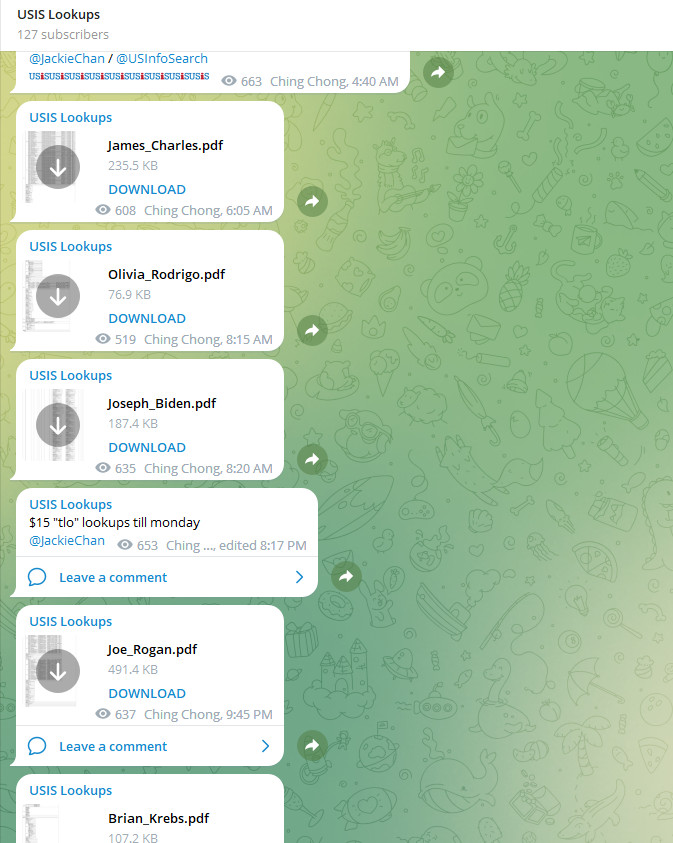
How’d that scammer get your phone number or email address anyway? Chances are, they pulled that info off a data broker site. Data brokers buy, collect, and sell detailed personal info, which they compile from several public and private sources, such as local, state, and federal records, plus third parties like supermarket shopper’s cards and mobile apps that share and sell user data. Moreover, they’ll sell it to anyone who pays for it, including people who’ll use that info for scams. You can help reduce those scam texts and calls by removing your info from those sites. Our Personal Data Cleanup scans some of the riskiest data broker sites and shows you which ones are selling your personal info.
- Use online protection software.
Online protection software can protect you in several ways. First, it can offer web protection features that can identify malicious links and downloads, which can help prevent clicking them. Further, features like our web protection can steer you away from dangerous websites and block malware and phishing sites if you accidentally click on a malicious link. Additionally, our Scam Protection feature warns you of sketchy links in emails, texts, and messages. And overall, strong virus and malware protection can further block any attacks on your devices. Be sure to protect your smartphones in addition to your computers and laptops as well, particularly given all the sensitive things we do on them, like banking, shopping, and booking rides and travel.
The post How to Recognize a Phishing Email appeared first on McAfee Blog.