The UK’s National Cyber Security Centre has released new guidance to help domain registrars enhance security
—————
Free Secure Email – Transcom Sigma
Boost Inflight Internet
Transcom Hosting
Transcom Premium Domains
—————
Free Secure Email – Transcom Sigma
Boost Inflight Internet
Transcom Hosting
Transcom Premium Domains
—————
Free Secure Email – Transcom Sigma
Boost Inflight Internet
Transcom Hosting
Transcom Premium Domains
—————
Free Secure Email – Transcom Sigma
Boost Inflight Internet
Transcom Hosting
Transcom Premium Domains
NIST just released a comprehensive taxonomy of adversarial machine learning attacks and countermeasures.
—————
Free Secure Email – Transcom Sigma
Boost Inflight Internet
Transcom Hosting
Transcom Premium Domains
Many successful phishing attacks result in a financial loss or malware infection. But falling for some phishing scams, like those currently targeting Russians searching online for organizations that are fighting the Kremlin war machine, can cost you your freedom or your life.
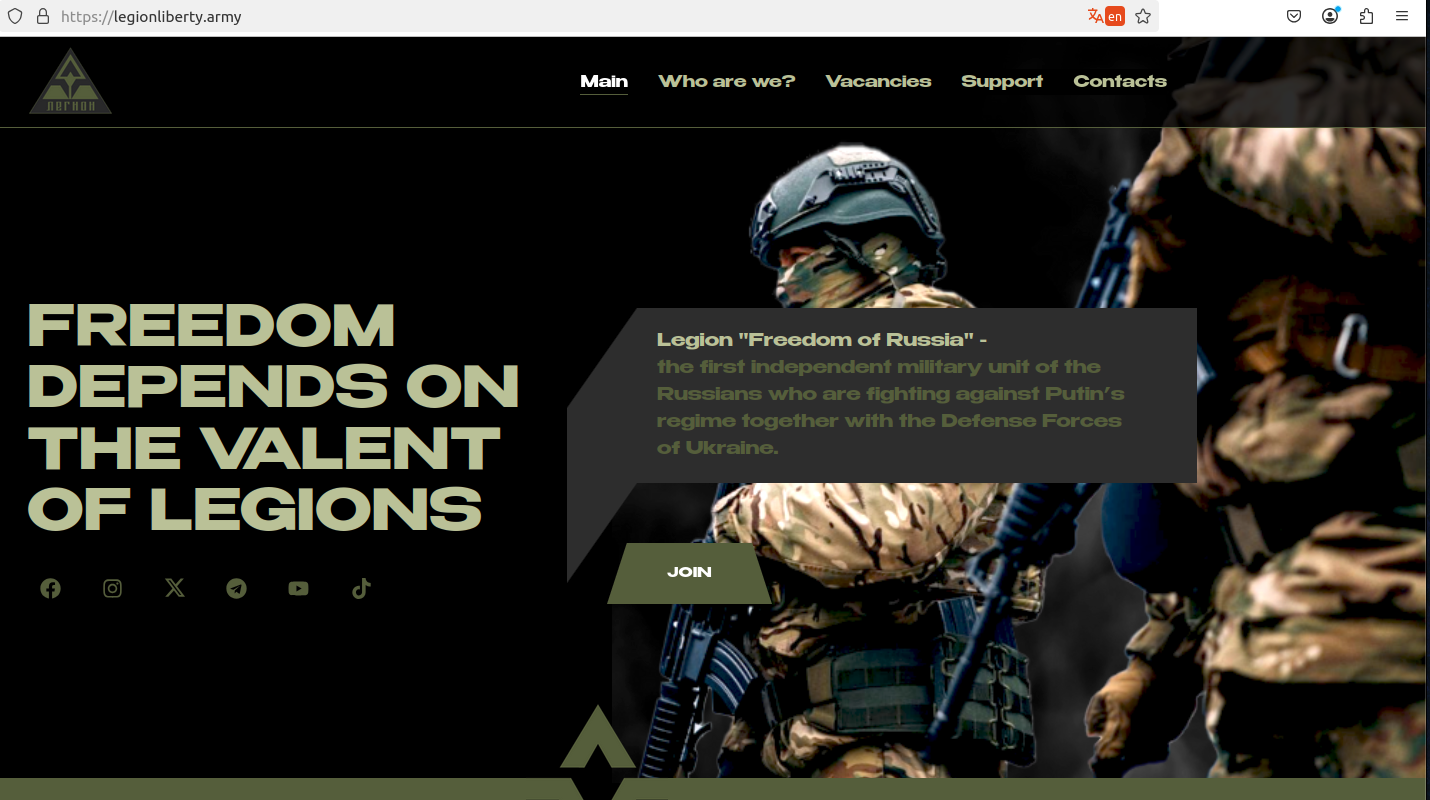
The real website of the Ukrainian paramilitary group “Freedom of Russia” legion. The text has been machine-translated from Russian.
Researchers at the security firm Silent Push mapped a network of several dozen phishing domains that spoof the recruitment websites of Ukrainian paramilitary groups, as well as Ukrainian government intelligence sites.
The website legiohliberty[.]army features a carbon copy of the homepage for the Freedom of Russia Legion (a.k.a. “Free Russia Legion”), a three-year-old Ukraine-based paramilitary unit made up of Russian citizens who oppose Vladimir Putin and his invasion of Ukraine.
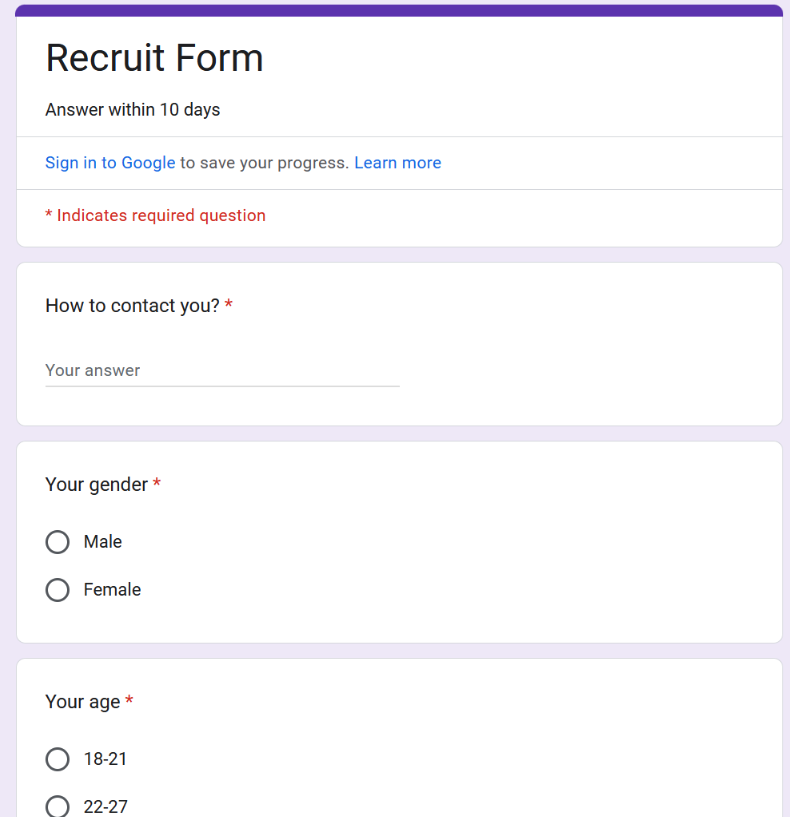
The phony version of that website copies the legitimate site — legionliberty[.]army — providing an interactive Google Form where interested applicants can share their contact and personal details. The form asks visitors to provide their name, gender, age, email address and/or Telegram handle, country, citizenship, experience in the armed forces; political views; motivations for joining; and any bad habits.
“Participation in such anti-war actions is considered illegal in the Russian Federation, and participating citizens are regularly charged and arrested,” Silent Push wrote in a report released today. “All observed campaigns had similar traits and shared a common objective: collecting personal information from site-visiting victims. Our team believes it is likely that this campaign is the work of either Russian Intelligence Services or a threat actor with similarly aligned motives.”
Silent Push’s Zach Edwards said the fake Legion Liberty site shared multiple connections with rusvolcorps[.]net. That domain mimics the recruitment page for a Ukrainian far-right paramilitary group called the Russian Volunteer Corps (rusvolcorps[.]com), and uses a similar Google Forms page to collect information from would-be members.
Other domains Silent Push connected to the phishing scheme include: ciagov[.]icu, which mirrors the content on the official website of the U.S. Central Intelligence Agency; and hochuzhitlife[.]com, which spoofs the Ministry of Defense of Ukraine & General Directorate of Intelligence (whose actual domain is hochuzhit[.]com).
According to Edwards, there are no signs that these phishing sites are being advertised via email. Rather, it appears those responsible are promoting them by manipulating the search engine results shown when someone searches for one of these anti-Putin organizations.
In August 2024, security researcher Artem Tamoian posted on Twitter/X about how he received startlingly different results when he searched for “Freedom of Russia legion” in Russia’s largest domestic search engine Yandex versus Google.com. The top result returned by Google was the legion’s actual website, while the first result on Yandex was a phishing page targeting the group.
“I think at least some of them are surely promoted via search,” Tamoian said of the phishing domains. “My first thread on that accuses Yandex, but apart from Yandex those websites are consistently ranked above legitimate in DuckDuckGo and Bing. Initially, I didn’t realize the scale of it. They keep appearing to this day.”
Tamoian, a native Russian who left the country in 2019, is the founder of the cyber investigation platform malfors.com. He recently discovered two other sites impersonating the Ukrainian paramilitary groups — legionliberty[.]world and rusvolcorps[.]ru — and reported both to Cloudflare. When Cloudflare responded by blocking the sites with a phishing warning, the real Internet address of these sites was exposed as belonging to a known “bulletproof hosting” network called Stark Industries Solutions Ltd.
Stark Industries Solutions appeared two weeks before Russia invaded Ukraine in February 2022, materializing out of nowhere with hundreds of thousands of Internet addresses in its stable — many of them originally assigned to Russian government organizations. In May 2024, KrebsOnSecurity published a deep dive on Stark, which has repeatedly been used to host infrastructure for distributed denial-of-service (DDoS) attacks, phishing, malware and disinformation campaigns from Russian intelligence agencies and pro-Kremlin hacker groups.
In March 2023, Russia’s Supreme Court designated the Freedom of Russia legion as a terrorist organization, meaning that Russians caught communicating with the group could face between 10 and 20 years in prison.
Tamoian said those searching online for information about these paramilitary groups have become easy prey for Russian security services.
“I started looking into those phishing websites, because I kept stumbling upon news that someone gets arrested for trying to join [the] Ukrainian Army or for trying to help them,” Tamoian told KrebsOnSecurity. “I have also seen reports [of] FSB contacting people impersonating Ukrainian officers, as well as using fake Telegram bots, so I thought fake websites might be an option as well.”
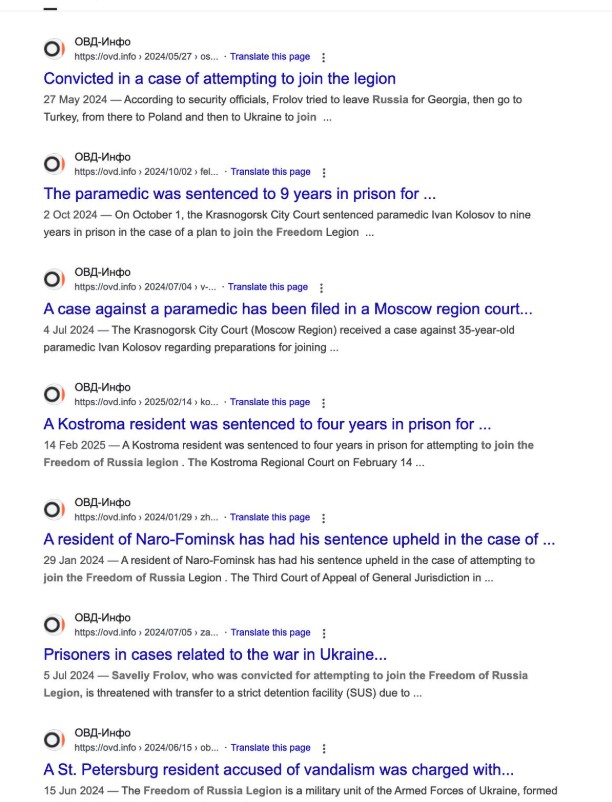
Search results showing news articles about people in Russia being sentenced to lengthy prison terms for attempting to aid Ukrainian paramilitary groups.
Tamoian said reports surface regularly in Russia about people being arrested for trying carry out an action requested by a “Ukrainian recruiter,” with the courts unfailingly imposing harsh sentences regardless of the defendant’s age.
“This keeps happening regularly, but usually there are no details about how exactly the person gets caught,” he said. “All cases related to state treason [and] terrorism are classified, so there are barely any details.”
Tamoian said while he has no direct evidence linking any of the reported arrests and convictions to these phishing sites, he is certain the sites are part of a larger campaign by the Russian government.
“Considering that they keep them alive and keep spawning more, I assume it might be an efficient thing,” he said. “They are on top of DuckDuckGo and Yandex, so it unfortunately works.”
Further reading: Silent Push report, Russian Intelligence Targeting its Citizens and Informants.
—————
Free Secure Email – Transcom Sigma
Boost Inflight Internet
Transcom Hosting
Transcom Premium Domains
—————
Free Secure Email – Transcom Sigma
Boost Inflight Internet
Transcom Hosting
Transcom Premium Domains
—————
Free Secure Email – Transcom Sigma
Boost Inflight Internet
Transcom Hosting
Transcom Premium Domains
—————
Free Secure Email – Transcom Sigma
Boost Inflight Internet
Transcom Hosting
Transcom Premium Domains
—————
Free Secure Email – Transcom Sigma
Boost Inflight Internet
Transcom Hosting
Transcom Premium Domains
—————
Free Secure Email – Transcom Sigma
Boost Inflight Internet
Transcom Hosting
Transcom Premium Domains