Following a brazen ransomware attack by the REvil cybergang, CISA and FBI offer guidance to victims.
Premium Domain Names – transcom.uk
Transcom ISP – The UK’s Best Business ISP
DoubleCheck any website at doublecheck.uk
Premium Domain Names – transcom.uk
Transcom ISP – The UK’s Best Business ISP
DoubleCheck any website at doublecheck.uk
Premium Domain Names – transcom.uk
Transcom ISP – The UK’s Best Business ISP
DoubleCheck any website at doublecheck.uk
Detailed story of Volodymyr Kvashuk, a Microsoft insider who noticed a bug in the company’s internal systems that allowed him to create unlimited Xbox gift cards, and stole $10.1 million before he was caught.
Premium Domain Names – transcom.uk
Transcom ISP – The UK’s Best Business ISP
DoubleCheck any website at doublecheck.uk
I’m about to tell you an extraordinary fact about cybercrime. Some of the most significant data breaches in internet history weren’t after bank account numbers, cryptocurrency, or even credit card numbers. They were, in fact, after YOU. That’s right, the most valuable data on the internet is the data that comprises your identity. Let’s take a look at what that data is, how it gets leveraged by cybercriminals, and how you can get the online identity protection you deserve.
1 billion is a big number. In the case of a recent CVS database leak, reported on in June of this year, that’s how many user records were accidently released online, including details like email addresses and even searches about Covid vaccines. This is just one of the dozens of breaches that have occurred this year and will continue to happen as personally identifiable information becomes more valuable to cybercriminals. Just as remarkable as the huge volume of user data being exposed online is the speed with which compromised data is used by hackers online. Cybersecurity researchers recently discovered that cybercriminals access leaked or stolen credentials within 12 hours to exploit them as soon as possible. These circumstances beg the question, why has your personally identifiable information has become so valuable lately?
While the value of some information, like a credit card number, is obvious, you may think your name and date of birth aren’t that big of a deal. After all, it wasn’t so long ago that you could find all that information in a phone book. In fact, personally identifiable information (PII), also known as data used to identify a specific individual, is what many data breaches are after.
Armed with just a mailing address, a phone number, and a date of birth, a cybercriminal can begin constructing a fake identity to take out loans and disguise many kinds of criminal activities. With a social security number and a few personal details from a social media account, they could take over a bank account. When it comes to your PII, any information is as good as gold to cybercriminals.
Your PII may not be as safe as you think.
If our PII were treated like actual gold and held in a safe location like Fort Knox, I wouldn’t be writing this post. But in fact, it’s the currency we use to obtain many services in our connected lives. Social media sites are massive repositories of PII, and their access to our most personal details and the ability to sell it to marketers is the reason the service remains free. Free email services are the same. Now consider all the other accounts we may have created to, say, try out a streaming service for free, or even old accounts we no longer use. From that perspective, you can see how much of your data is being used by companies, may not be very well protected, and is a tempting target for cybercriminals. Fortunately, there are many things you can do to keep your identity safer online.
When it comes to protecting your PII, knowledge is power. Let’s start by identifying if you’ve been the target of a data breach. Here are a few tell-tale signs:
Okay, now that you know the signs of a data breach, let’s look at how you can take action to protect yourself. The best way to avoid being the victim of identity theft is by limiting the amount of PII you provide. There are some easy ways to do this.
Only a few types of organizations legitimately need your social security number. These include: employers or when contracting with a business, group health insurance, financial and real estate transactions, applying for credit cards, car loans, and so forth.
Quizzes, social media games, and other kinds of interactive clickbait are often grifting pieces of your PII in a seemingly playful way. While you’re not giving up your SSN, you may be giving up things like your birthday, your pet’s name, your first car … things that people often use to compose their passwords or use as answers to common security questions on banking and financial sites.
A phishing email poses as a real email from known or trusted brands and financial institutions. These emails attempt to trick you into sharing important information like your logins, account numbers, credit card numbers, and so on under the guise of providing customer service. Here are some more ways to spot a phishing email.
Clearly, we’re in a new era when it comes to securing our identities online. In response, McAfee has created a new kind of identity protection.
We knew from the outset Identity Protection Service had to be proactive, holistic, and accessible. We also wanted it to follow the timeline for how cybercrime actually affects your identity. When it comes to PII, the breach is just the first step for cybercriminals. The 10 months following a breach is when cybercriminals will use your PII to commit fraudulent acts using your data.
To address this, your new Identity Protection Service will monitor more personally identifiable information than other leading competitors. It will alert you of stolen personal info an average of 10 months ahead of other monitoring services. And it’s accessible anywhere via mobile app, browser, and the web.
In practice, McAfee’s Identity Protection Service protects all your online accounts by doing the following:
As we spend more of our lives online, we need an approach to security that reflects this new reality. Identity protection is part of it. VPN is part of it. Antivirus is part of it. They are all pieces of a puzzle that we solve with products like McAfee Total Protection. Our premier security service is comprehensive, affordable, and, with the new Identity Protection Service, an indispensable part of your life online.
To stay updated on all things McAfee and on top of the latest consumer and mobile security threats, follow @McAfee_Home on Twitter, subscribe to our newsletter, listen to our podcast Hackable?, and ‘Like’ us on Facebook.
The post Identity Protection Service: The Best Solution to a Growing Problem appeared first on McAfee Blogs.
Premium Domain Names – transcom.uk
Transcom ISP – The UK’s Best Business ISP
DoubleCheck any website at doublecheck.uk
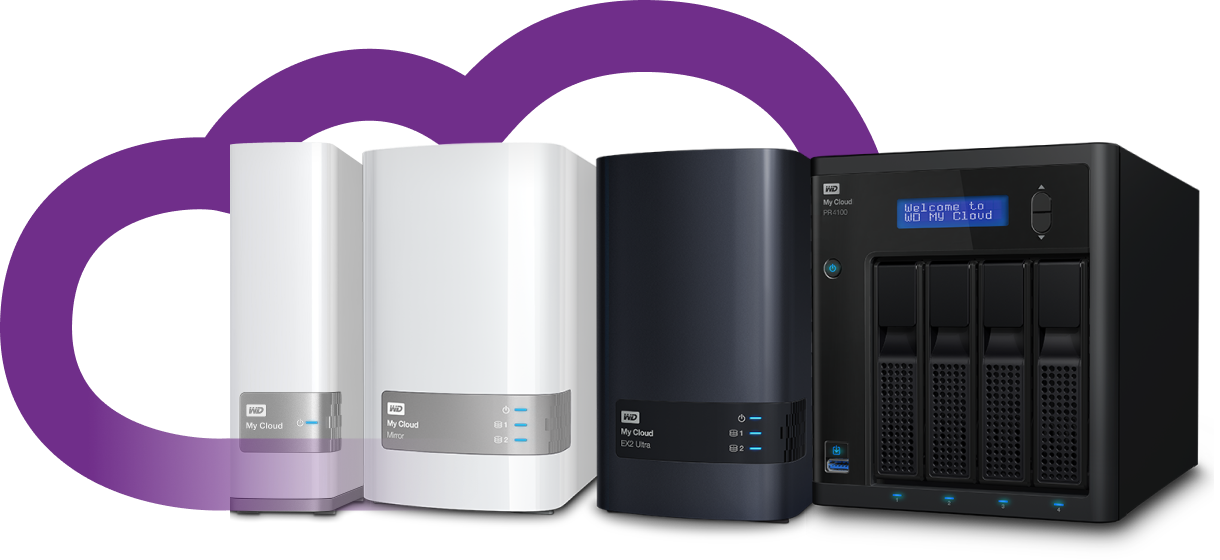
Some of Western Digital’s MyCloud-based data storage devices. Image: WD.
Countless Western Digital customers saw their MyBook Live network storage drives remotely wiped in the past month thanks to a bug in a product line the company stopped supporting in 2015, as well as a previously unknown zero-day flaw. But there is a similarly serious zero-day flaw present in a much broader range of newer Western Digital MyCloud network storage devices that will remain unfixed for many customers who can’t or won’t upgrade to the latest operating system.
At issue is a remote code execution flaw residing in all Western Digital network attached storage (NAS) devices running MyCloud OS 3, an operating system the company only recently stopped supporting.
Researchers Radek Domanski and Pedro Ribeiro originally planned to present their findings at the Pwn2Own hacking competition in Tokyo last year. But just days before the event Western Digital released MyCloud OS 5, which eliminated the bug they found. That update effectively nullified their chances at competing in Pwn2Own, which requires exploits to work against the latest firmware or software supported by the targeted device.
Nevertheless, in February 2021, the duo published this detailed YouTube video, which documents how they discovered a chain of weaknesses that allows an attacker to remotely update a vulnerable device’s firmware with a malicious backdoor — using a low-privileged user account that has a blank password.
The researchers said Western Digital never responded to their reports. In a statement provided to KrebsOnSecurity, Western Digital said it received their report after Pwn2Own Tokyo 2020, but that at the time the vulnerability they reported had already been fixed by the release of My Cloud OS 5.
“The communication that came our way confirmed the research team involved planned to release details of the vulnerability and asked us to contact them with any questions,” Western Digital said. “We didn’t have any questions so we didn’t respond. Since then, we have updated our process and respond to every report in order to avoid any miscommunication like this again. We take reports from the security research community very seriously and conduct investigations as soon as we receive them.”
Western Digital ignored questions about whether the flaw found by Domanski and Ribeiro was ever addressed in OS 3. A statement published on its support site March 12, 2021 says the company will no longer provide further security updates to the MyCloud OS 3 firmware.
“We strongly encourage moving to the My Cloud OS5 firmware,” the statement reads. “If your device is not eligible for upgrade to My Cloud OS 5, we recommend that you upgrade to one of our other My Cloud offerings that support My Cloud OS 5. More information can be found here.” A list of MyCloud devices that can support OS 5 is here.
But according to Domanski, OS 5 is a complete rewrite of Western Digital’s core operating system, and as a result some of the more popular features and functionality built into OS3 are missing.
“It broke a lot of functionality,” Domanski said of OS 5. “So some users might not decide to migrate to OS 5.”
In recognition of this, the researchers have developed and released their own patch that fixes the vulnerabilities they found in OS 3 (the patch needs to be reapplied each time the device is rebooted). Western Digital said it is aware of third parties offering security patches for My Cloud OS 3.
“We have not evaluated any such patches and we are unable to provide any support for such patches,” the company stated.
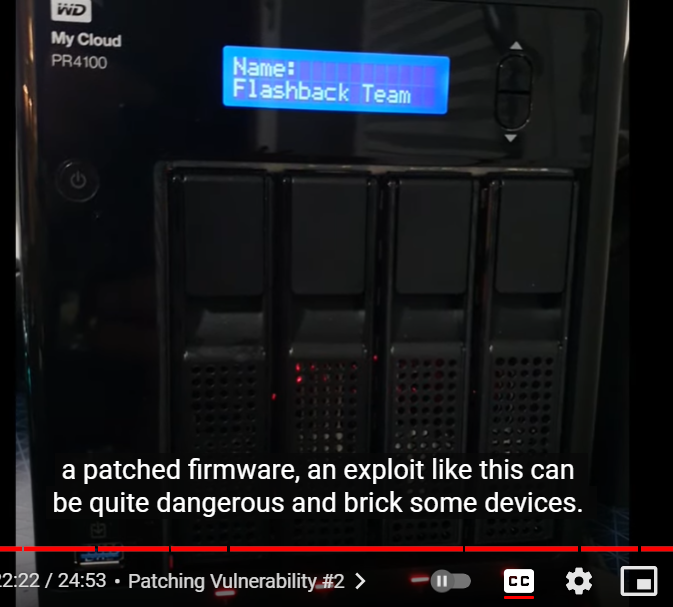
A snippet from the video showing the researchers uploading their malicious firmware via a remote zero-day flaw in MyCloud OS 3.
Domanski said MyCloud users on OS 3 can virtually eliminate the threat from this attack by simply ensuring that the devices are not set up to be reachable remotely over the Internet. MyCloud devices make it super easy for customers to access their data remotely, but doing so also exposes them to attacks like last month’s that led to the mass-wipe of MyBook Live devices.
“Luckily for many users they don’t expose the interface to the Internet,” he said. “But looking at the number of posts on Western Digital’s support page related to OS3, I can assume the userbase is still considerable. It almost feels like Western Digital without any notice jumped to OS5, leaving all the users without support.”
Dan Goodin at Ars Technica has a fascinating deep dive on the other zero-day flaw that led to the mass attack last month on MyBook Live devices that Western Digital stopped supporting in 2015. In response to Goodin’s report, Western Digital acknowledged that the flaw was enabled by a Western Digital developer who removed code that required a valid user password before allowing factory resets to proceed.
Facing a backlash of angry customers, Western Digital also pledged to provide data recovery services to affected customers starting this month. “MyBook Live customers will also be eligible for a trade-in program so they can upgrade to MyCloud devices,” Goodin wrote. “A spokeswoman said the data recovery service will be free of charge.”
If attackers get around to exploiting this OS 3 bug, Western Digital might soon be paying for data recovery services and trade-ins for a whole lot more customers.
Premium Domain Names – transcom.uk
Transcom ISP – The UK’s Best Business ISP
DoubleCheck any website at doublecheck.uk
Premium Domain Names – transcom.uk
Transcom ISP – The UK’s Best Business ISP
DoubleCheck any website at doublecheck.uk
Premium Domain Names – transcom.uk
Transcom ISP – The UK’s Best Business ISP
DoubleCheck any website at doublecheck.uk
Premium Domain Names – transcom.uk
Transcom ISP – The UK’s Best Business ISP
DoubleCheck any website at doublecheck.uk
Premium Domain Names – transcom.uk
Transcom ISP – The UK’s Best Business ISP
DoubleCheck any website at doublecheck.uk
Premium Domain Names – transcom.uk
Transcom ISP – The UK’s Best Business ISP
DoubleCheck any website at doublecheck.uk